Reclearance Routes in Aviation

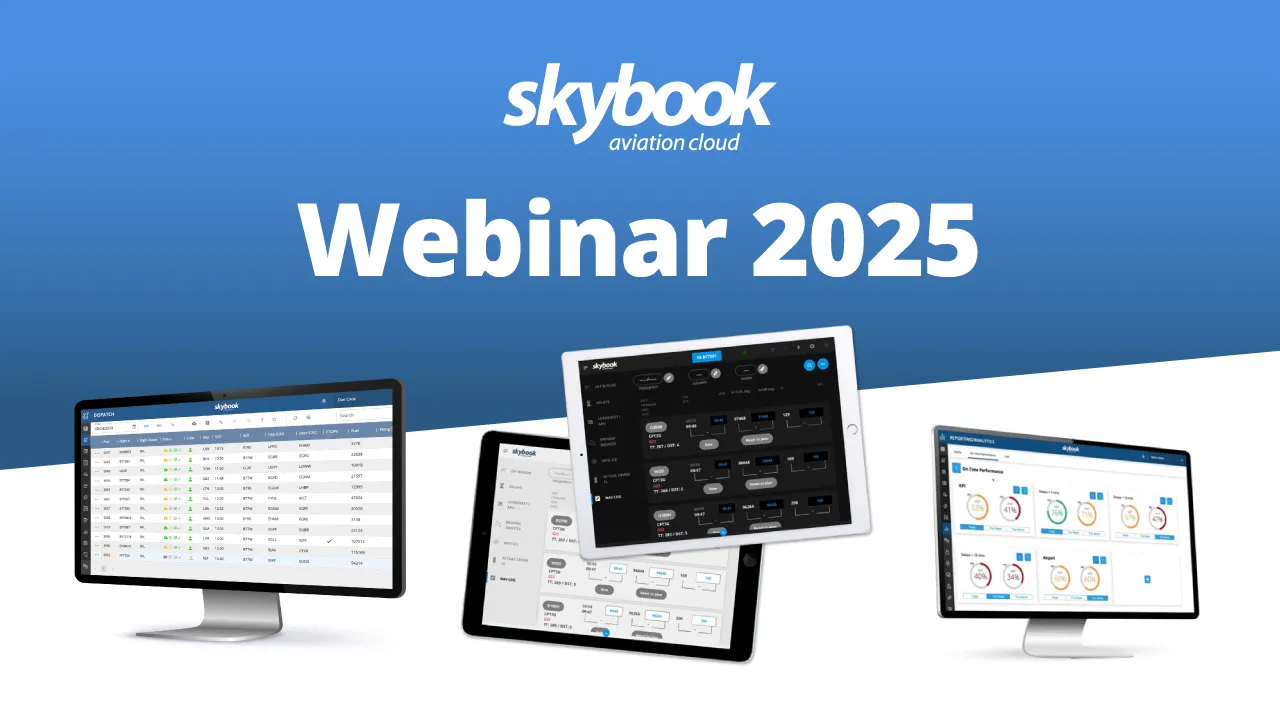
Today, we’ll explore how skybook reduces reliance on paper, improves efficiency, ensures compliance, and provides a single source of truth for all your flight data.
I’ll be demonstrating parts of the ground portal and application, so you can see exactly how pilots and operations teams benefit from having all their integrated data in one place.
One of the biggest benefits to skybook is the level of admin control it provides. Allowing operators to make changes independently, without needing backup support, is a real advantage and it allows you to move much faster when adapting the platform to your needs.
There is a comprehensive settings section on the ground portal, this gives operators full control over things like user admins, editing specific airport data. You can manage NOTAM data, such as deciding on NOTAM alert levels, if there are specific NOTAMs that need excluding, adding or removing, or sending NOTAM information to certain emails.
Operators can set airport specific minima levels for standard, alternate, en-route and ETOPs, updating limits for ceiling, visibility, RVR, wind speed and wind gust. This data feeds into the airfield section of the EFB application I will show shortly.
Operators can edit what information to show on the dispatch portal, edit things like airfield overides, FIR overides, RAIM data. As you can see there is alot of customisation settings to really make skybook work well for you!
But one of the key features is the ability to customise the complete workflow of the EFB application. Operators can instantly customise field names for the whole application, including the ability to hide fields that aren't needed. This is a game changer and is a huge time saver for our customers, while also streamlining unnecessary inputs to reduce pilot workload.
Now before we go into the application, I wanted to share how effective skybook is at data traceability, as well as some of the dispatch features which really sets skybook apart from other providers. After all, the complete data capture and usability is one of the reasons why our customers love skybook!
On the dispatch portal, operators can view a status section. This updates automatically whenever a pilot takes a key action for that sector.
Here you can see, side by side, how the sector status progresses. From when the voyage is first downloaded on the EFB, to when the sector is viewed and accepted, then pre-flight sign-off is completed, and finally when the flight is completed and signed off.
However, the real power comes from the audit trail. Every important action is displayed with a time stamp and username. If there has been a fuel order, then that is also displayed. This gives operations teams full visibility and compliance of the whole flight process, they simply don’t get with paper.
Now lets see a few other dispatch features before going into the efb application.
The skybook platform offers powerful integration capabilities with a wide range of systems; enabling seamless data exchange between your flight planning provider, crew and rostering tools, weather data, loadsheets, MEL, fuel orders, messaging services, AID, post-flight reporting tools, and more. In short, skybook serves as your single source of truth for centralised flight data.
Within Dispatch, operators get a clear, real-time view of every flight. The live flight status updates automatically, showing when crew are assigned, when route plots or ETOPS charts have been received, and key timing data such as OOOI (Out, Off, On, In).
The Dispatch Portal mirrors what the pilot sees in their briefing, giving access to weather and NOTAMs for all relevant airfields, as well as a full range of route and weather charts — including Jeppesen charts (for subscribers), displaying turbulence, icing, and contrail data.
Users can open the complete PDF briefing pack, which consolidates the EFF file and all integrated data. Users can also attach additional documents such as NOTOC or GENDEC for flight crew access within the EFB.
A recent update allows users to mark sectors as Return to Ramp or Return from Airborne, automatically highlighting them in Dispatch. This enables dispatchers to close disrupted sectors and quickly generate a rescheduled one using the same flight and routing details, while maintaining a full audit trail in the flight summary data.
The Flight Summary section compiles all key information for the sector, synced directly from the crew’s EFB app.
Dispatchers can also monitor a Gantt Ops view of all scheduled flights, helping them stay ahead of potential delays. The Dispatch interface is fully configurable, allowing teams to focus on the most relevant and critical operational data.
Finally, dispatchers can create a sector briefing, review all flight details, view the OFP, and release it directly to the EFB, either manually or through full automation, depending on the operator’s setup.
One standout feature of skybook is the ability to select and load multiple sector briefings at once. This means you only need to download the briefing pack once to access all flights for the day, a feature our users love, as it saves significant time and effort by removing the need to update briefings for each individual sector.
Users can switch between sectors instantly with a quick tap.
Now, let’s return to the sector selection screen, this view displays only the sectors assigned to each individual user.
Once a sector is selected, skybook automatically gathers all briefing pack information for that specific flight.
When the briefing opens, users land on a summary page providing a quick snapshot of key flight details such as dates, times, flight number, and aircraft registration, all automatically populated.
From this page, users can easily:
skybook integrates seamlessly with leading charting tools like Flight Deck Pro, Lido mPilot, and NavBlue. This means route strings from the OFP are automatically copied into the navigation charts, eliminating manual input and reducing the risk of error.
For instance, selecting the Flight Deck Pro link automatically transfers the relevant chart data for the route. This seamless workflow allows pilots to spend less time preparing and more time focusing on decision-making.
By presenting information in clear, structured sections, skybook empowers pilots to self-brief efficiently without switching between multiple systems.
With its modern, intuitive interface, skybook looks great in both day and night modes, ensuring a smooth, user-friendly experience.
Additionally, users have direct links to route charts and NOTAM information, keeping all critical data within easy reach.
Now, let’s move on to the briefing section.
Here, pilots can access the OFP, perform an FMS route check, and update the sector directly from the app.
However it’s skybook’s interactive briefing map, which truly elevates pre-flight preparation. Pilots can overlay weather and environmental data, including wind, temperature, and turbulence layers, and adjust flight levels or forecast periods for a more detailed view.
Each airfield’s status is displayed using a traffic-light system:
The top half of the map shows METAR and TAF data, while the bottom half displays NOTAMs. Pilots can tap any airfield to instantly view its detailed information, including waypoint planned positions.
Fuel orders can be sent directly to dispatch or integrated with your fuel provider. The order history is always visible, allowing crews to verify both new and previous requests. Multiple fuel order configurations are available to suit different operator needs.
In the airfields section, users can view departure, arrival, and alternate airfields, complete with raw and decoded weather information. NOTAMs can be quickly filtered by critical, warning, or normal status for faster decision-making.
Throughout the app, pilots can bookmark important information to revisit it instantly later on.
The FIRs section displays SIGMET and ASHTAM information, and for applicable flights ETOPS data is shown and tracks data such as North Atlantic Tracks.
Pilots can also access a full suite of static route and weather charts, including vertical profiles showing contrails, turbulence, and icing layers.
Finally, any company notices, attachments, or ground messages sent via the dispatch portal are easily accessible in the Notices section.
Once all checks are complete, the flight crew can accept the sector and transition seamlessly into the flight-phase workflow.
At this stage, it’s worth highlighting our device sync, a key enhancement to the flight logging experience.
Throughout a flight, pilots may need to sync their data, and skybook makes that process faster and more transparent.
A status banner appears at the top of the screen to clearly indicate sync progress:
Our users have really welcomed this update, noting not only the sync speed, but also the clear visual feedback that shows exactly what stage the sync is at.
The journey log is organised into three simple sections: Pre-flight, In-flight, and Post-flight.
The sidebar displays all the forms to be completed, which can be customised by the operator. Any mandatory fields are clearly marked and must be completed by the user before moving on.
For example, in the fuel section, required entries are highlighted with red outlines. The landing fuel field automatically retrieves data from the previous sector, and if there’s a discrepancy or extra fuel, users can easily select a reason.
Fuel slips can be uploaded directly using the camera or photo upload options.
The ATIS and ATC clearance areas also include scribble pads or photo upload options for quick input.
The crew section shows duty times and you can mark crew as deadheading if needed. You can even add custom crew members, such as for wet lease operations or temporary contracts.
Before departure, the pre-flight sign-off page provides a checklist showing any mandatory fields that are missing or need attention. Once all are complete, users can perform the pre-flight sign-off, and these updates automatically transmit back to dispatch.
Now moving into the in-flight section, this is where crews can record key operational data quickly and accurately.
Users can enter off-block and airborne times, with delay times auto-populated for convenience. Delay codes can then be selected from a configurable list, ideal for operators with custom codes, such as cargo airlines.
Loadsheet data can also be captured, along with any ground services requested, and these checklists can be tailored to match your specific operation. There’s also an anti-ice section with the option to attach receipts, plus dedicated fields for RVSM checks and landing performance.
Then we move to the navigation log, one of skybook’s standout features. The nav log supports real-time waypoint syncing between devices, so data stays consistent across the crew. Quick-access fields allow users to enter frequencies, squawk codes, or diversion details, and they can instantly jump to top of climb or top of descent waypoints.
As flight progress changes, waypoints automatically reorder to reflect updated timings, and logging a route direct is just a tap away.
Now we move on to the post-flight section. Here, pilots record the landing and on-block times, landing approach details, handling pilot information, and arrival fuel data.
The journey log comments allow pilots to highlight operational, technical, or procedural issues for other teams. They can also choose which teams to send each comment to.
During the post-flight sign-off, a summary of the sector is displayed, along with the oooi times, before the flight is officially signed off, and all the data is synced to the ground.
Before we return to the ground to explore post-flight reporting and analytics, let’s look at a few other features on the EFB.
skybook includes a document library for quick access to sector-relevant documents and manuals. This library is managed through the ground portal, using a fleet-based folder structure that makes it simple to add and update documents.
It also features a form builder, allowing teams to create custom forms for capturing additional or operation-specific information. Forms can be built and tested in the ground portal using an intuitive drag-and-drop interface, then assigned to specific users and timeframes.
Now we come to where skybook truly excels, turning flight data into actionable insight with Reporting & Analytics.
This module includes three sections: Record Vault, On-Time Performance, and Fuel Analysis.
Record Vault stores a complete archive of all flight data for up to five years, far exceeding the industry standard of just 90 days. Voyage reports can be downloaded as well as automatically sent to designated email addresses upon sector sign-off.
A Sector Summary Report can also be generated here. The summary dashboard provides a clear, user-friendly overview of all sector data with timestamps. Including all reports, journey log and nav log details, downloaded files, documents, and air traffic messages. It’s a complete record of flight data designed for full auditability, traceability, and compliance with airline regulations.
A new feature, introduced at the request of several operators, allows admin users to edit fuel or time data when corrections are required. This gives operators even more control and flexibility over their data, with full audit tracking of any changes made.
Admin users can also lock sector data if an incident occurs, ensuring the information is secured until the investigation is complete. Here you can see, the locked sector is hidden from the dispatch screen until it is released.
The On-Time Performance tab enables users to create their own KPIs and view a snapshot of delays, routes, aircraft, airports, and more. It allows for comparison of key metrics such as the most frequent or longest delays, most delayed airports or routes. Users can review OTP data over specific date ranges, analyse problematic delay codes and drive continuous improvement in flight operations.
Finally, the Fuel tab provides in-depth fuel reporting, available in kilograms or pounds. Comparing planned versus actual usage over 30, 60, or 90-day periods. Users can review the highest fuel-burning routes, aircraft, or fleets, as well as compare block, burn, and arrival fuel figures to assess the accuracy of flight planning.
Reporting & Analytics is an invaluable tool included as standard with skybook. It eliminates manual data entry, reduces reliance on separate systems, and delivers powerful insights to support efficient, data-driven flight operations.
This year we welcomed a number of new operators large and small to skybook including:
To summarise, skybook enables airlines to:
By combining real-time briefings, customisable journey logs and comprehensive post-flight reports, skybook enhances situational awareness, improves safety and enables continuous operational improvement.
Thank you for spending the time to watch our webinars, if you have any questions about skybook, please don't hesitate to get in touch.