EFF Management & Distribution: Connecting Flight Planning to the EFB

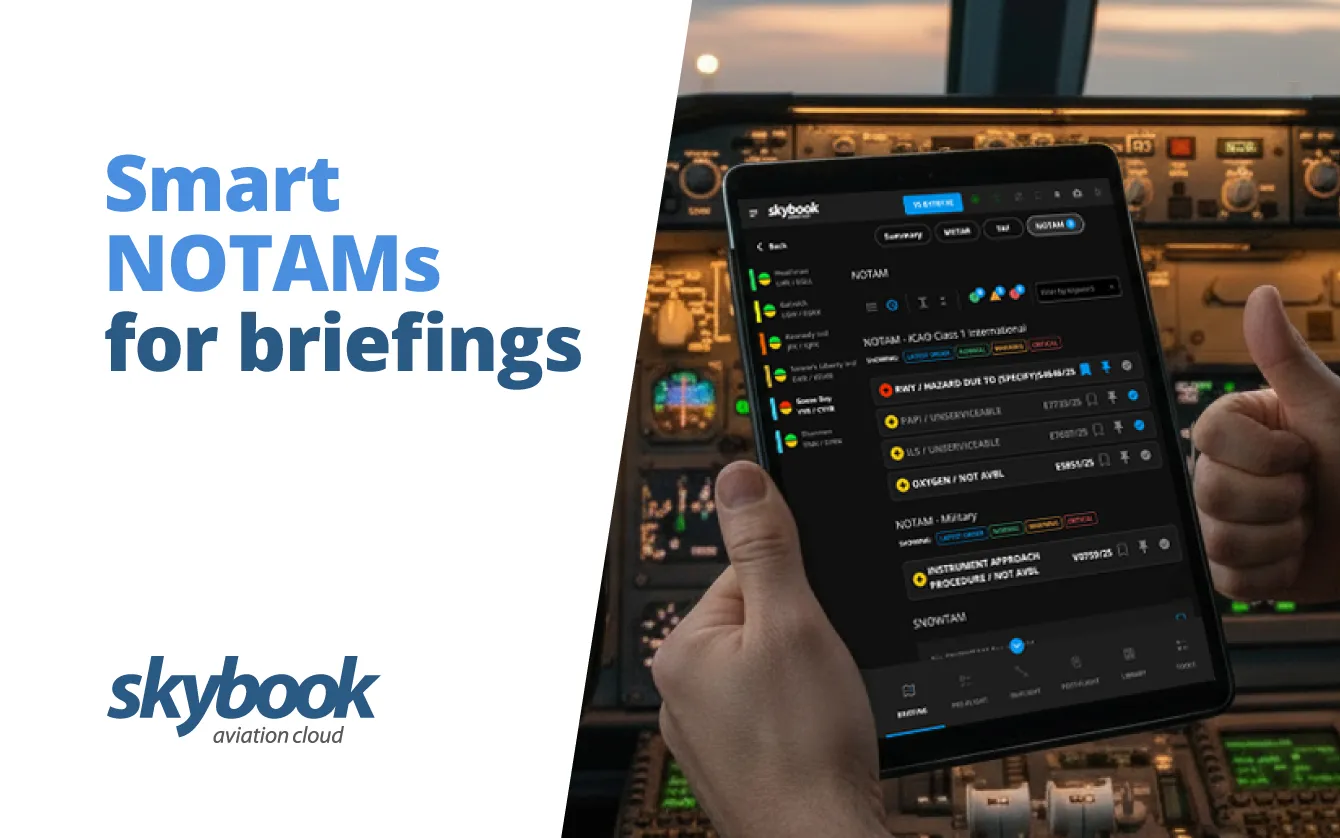
Managing NOTAMs is a critical part of pre-flight briefing preparation, but with the sheer volume of alerts today, it’s easy for important information to be missed!
That’s why we’ve redesigned the NOTAM management for Airfields and FIRs on the skybook EFB application, giving flight crews smart NOTAMs that simplify the briefing process and reduce information overload.
Expand / Collapse
Easily manage NOTAMs with the ability to expand or collapse them individually, or all at once. Tap the Plus button to view the full NOTAM, or the Minus button to collapse it. Use the Expand/Collapse All icons to see all details or minimise to titles only.
Mark as Read
Keep track of reviewed alerts. Tap the tick box to mark a NOTAM as read. The NOTAM will grey out and remain minimised on your device for 24 hours, helping crews focus on the most relevant information.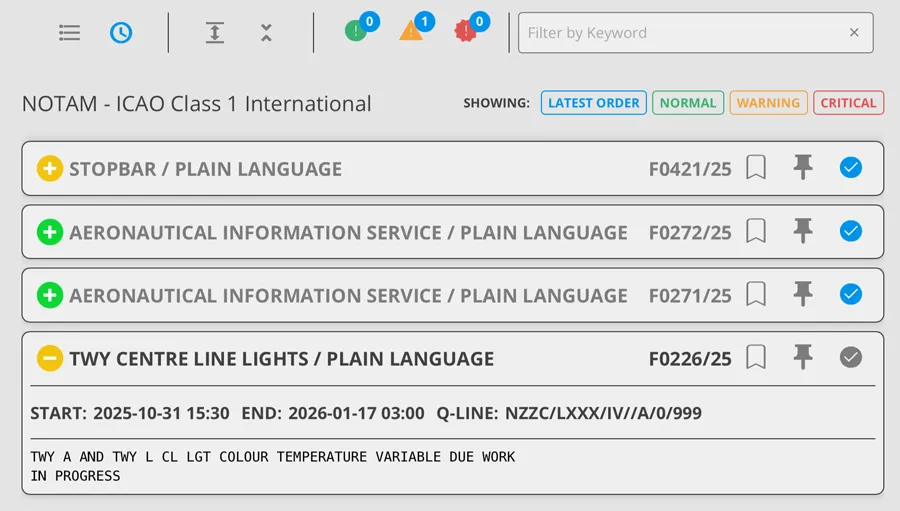
FIR Nautical-Mile (NM) Corridor Filtering
Focus on NOTAMs relevant to your FIR route. Activate the NM Corridor toggle to select a limit either side of your flight path. Only NOTAMs within your chosen corridor will appear, helping reduce clutter and highlight critical alerts.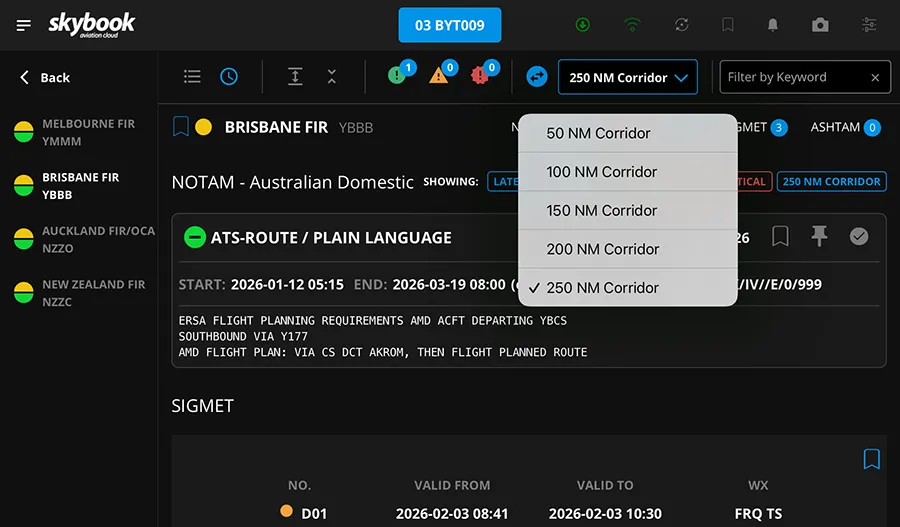
Filter by Type and Keyword
Narrow down NOTAMs by type: Normal, Warning, or Critical, and by keywords. Combine these filters to quickly find the information you need for a safer, more efficient briefing.
Pin Important NOTAMs
Prioritise key alerts by tapping the Pin icon to move a NOTAM to the top of the list. Pinned NOTAMs stay visible in order of subject or time, based on your current sorting preference.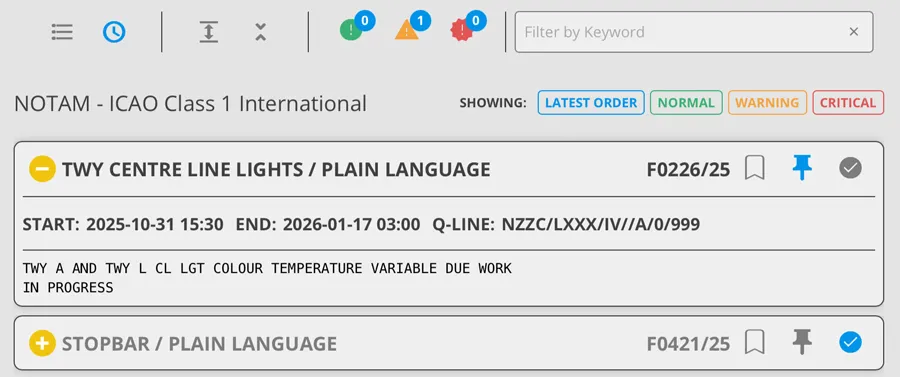
Order and Current Filters
Sort NOTAMs by subject or latest using the List and Clock icons. Colour-coded boxes show which filters are active, giving you a clear view of what’s displayed at a glance.
Bookmark for Later
Tap the Bookmark button to save a NOTAM for future reference during the sector, ensuring important information is always easily accessible. 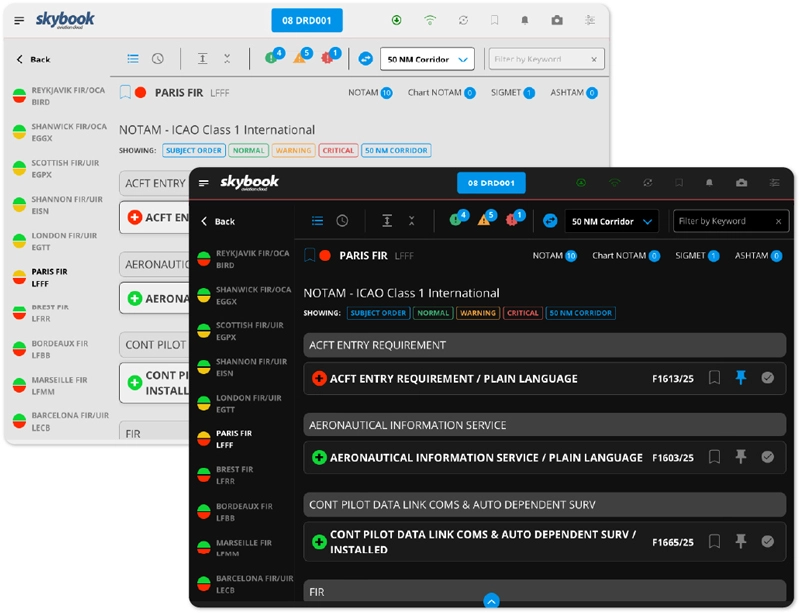
With these enhancements, flight crews can focus on critical NOTAMs, reduce information overload, and improve situational awareness during pre-flight briefings.
By combining intuitive filtering, prioritisation and personalisation on either day or night mode; smart NOTAMs on the EFB help pilots and dispatch teams quickly identify what matters most.
Whether it’s airfield or FIR NOTAMs, simplifying the NOTAM workflow for flight crews on the electronic flight bag, ensures every briefing is clear, actionable and safe.
For operations teams on the ground, NOTAM Watch offers a powerful way to stay on top of all NOTAM activity across your network.
The system delivers real-time filtering, alert prioritisation and automated notifications, making it easy to manage critical NOTAMs before they even reach the cockpit.
Comprehensive filtering includes settings such as time-based NOTAM options before and after ETA and ETD, and severity level for warning or critical NOTAMs; reducing information overload and ensure pilots and operators have access to the latest and relevant NOTAMs.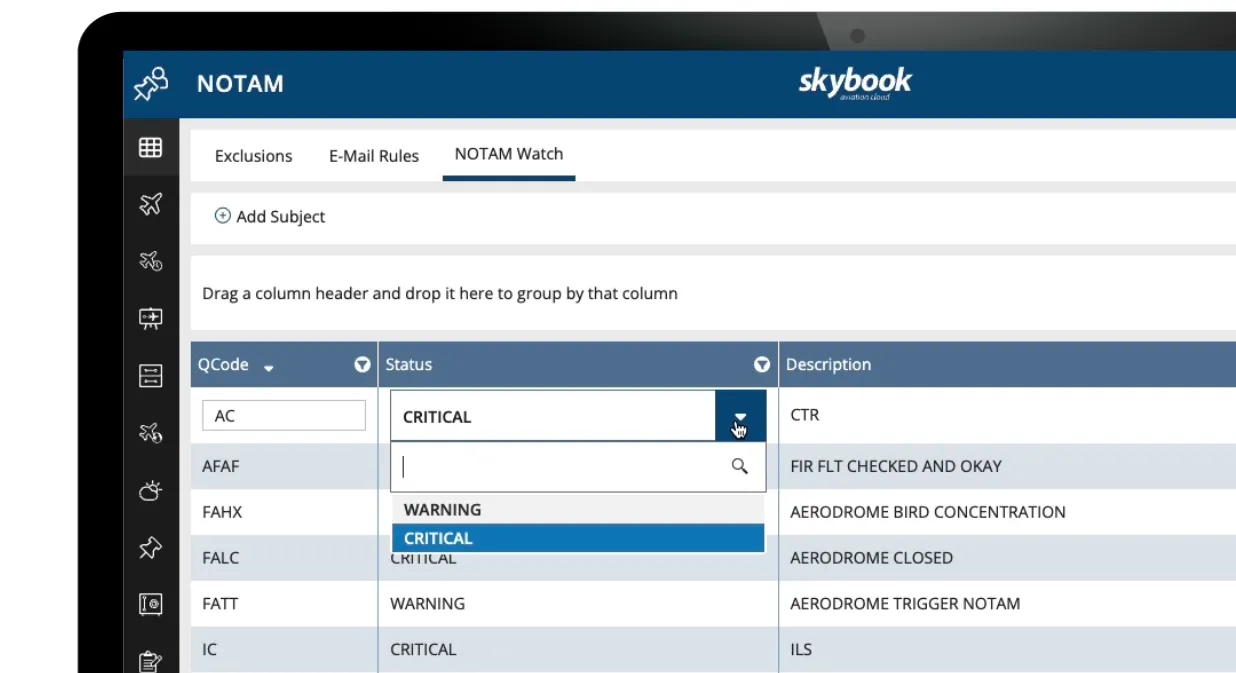
By combining smart NOTAMs in the EFB with NOTAM Watch on the ground, operators can achieve end-to-end visibility, reduce manual workload and ensure crews only see the alerts that truly matter.
Get in touch today and we’ll show you the complete skybook workflow.